Share it once.
Find it forever.
The recipe from Instagram. The flat you might rent. The quote that stuck with you. StashMind files everything you save – and finds it the moment you ask.
Free · For iPhone with iOS 26 or later · No account needed
Three seconds to save.
Zero effort to organize.
No folders to make or tags to type. StashMind handles the busywork.
Share from anywhere
Safari, Instagram, YouTube, Photos, Messages – tap Share and choose StashMind.
It organizes itself
Apple Intelligence picks the category, writes a clean title and pulls out what matters: price, servings, ticker, author.
Just ask
“That chicken recipe.” “The flat near the park.” Type it, chat with your library, or ask Siri.
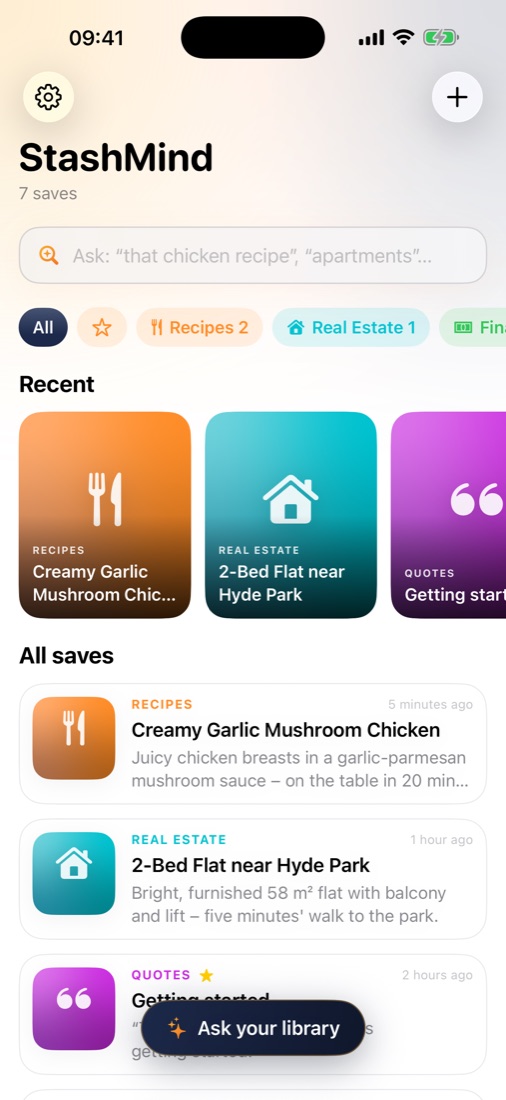
Everything in one calm place
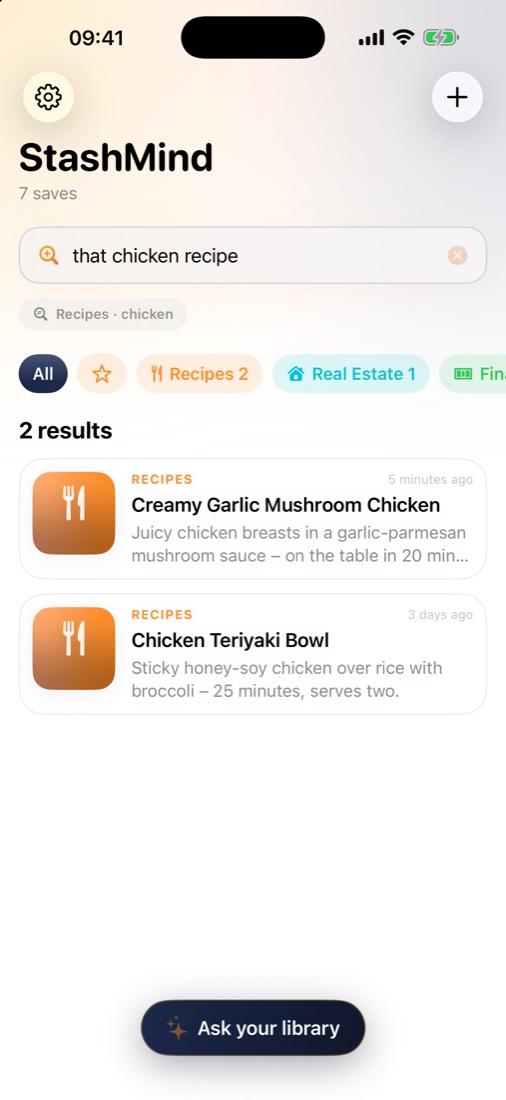
Search like you talk
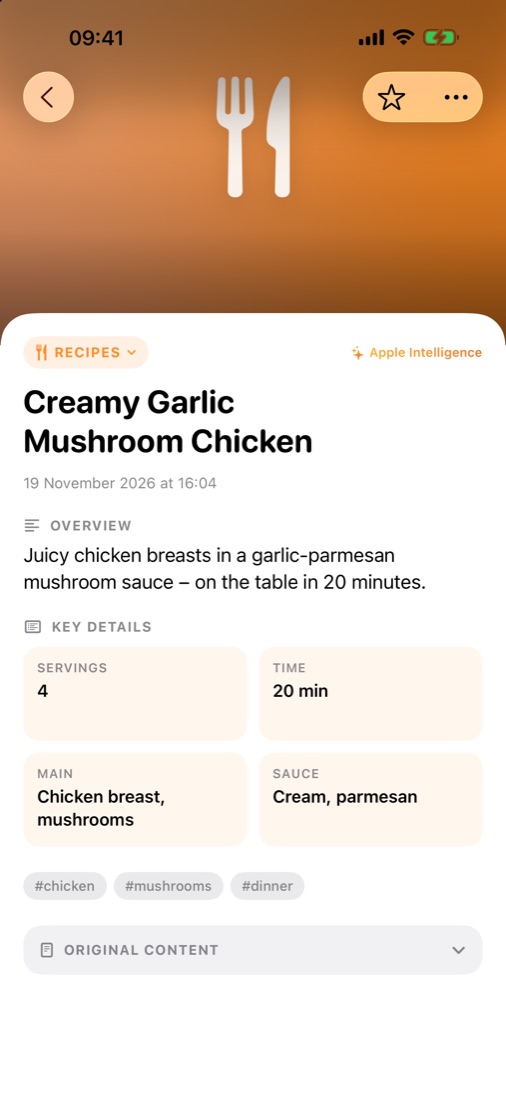
The details, at a glance
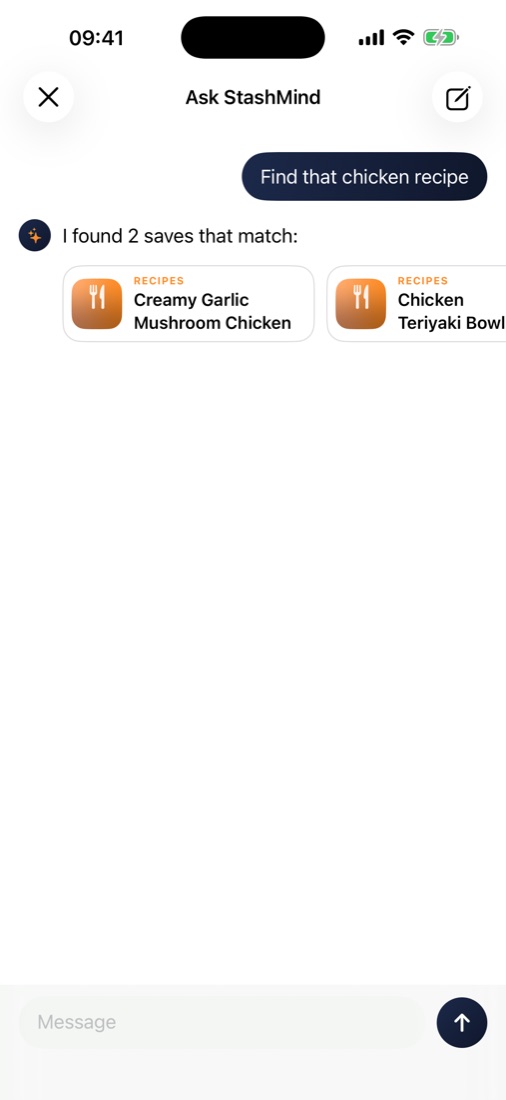
Ask your library anything
One home for every “I'll need this later.”
Recipes
Servings, time and main ingredients – pulled out automatically.
Apartments & homes
Price, size, location and contact from any listing.
Stocks & money tips
Tickers, numbers and the advice worth keeping.
Quotes & ideas
The words that moved you, with the author attached.
Videos & links
Trailers, reels and articles – the original is always one tap away.
Screenshots
Text in images is read on-device, so screenshots become searchable.
Your stash is yours.
Not ours.
Everything is understood on your iPhone with Apple Intelligence. There's no StashMind account, no tracking and no StashMind server. Sync, if you want it, runs through your own private iCloud.
Hands full? Just say it.
Works the moment you install – nothing to set up.
Good questions.
Which devices are supported?
Any iPhone with iOS 26 or later. AI organization needs a device with Apple Intelligence (iPhone 15 Pro or newer). On other iPhones StashMind still saves everything and sorts it with smart keyword matching.
Does it understand Croatian, Serbian or Bosnian?
Yes. Titles, summaries and details stay in the original language and script – Latin or Cyrillic. Siri commands use your Siri language.
Where is my data stored?
On your iPhone. If you turn on iCloud Sync, it's also kept in your own private iCloud so it appears on your iPad and Mac. We can't see it.
Can I save videos?
Yes – share the link from YouTube, Instagram, TikTok or any app. StashMind keeps the original link so you can jump straight back to it.
How much does it cost?
StashMind is free to download.
Stop losing the good stuff.
Save it once. StashMind remembers the rest.